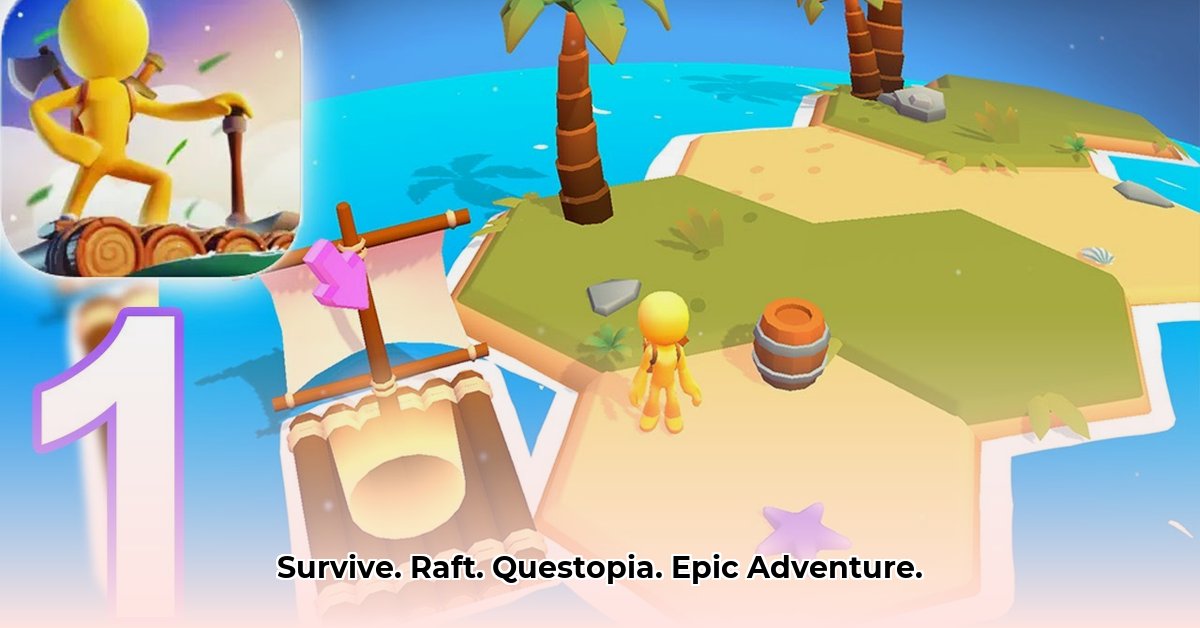
Questopia: Island Survival – More Than Just a Raft Adventure
Questopia, the mobile survival game, invites players to a thrilling island escape. Build rafts, gather resources, battle foes, and even enjoy some fishing or mahjong. But behind this idyllic setting lies a compelling story of development challenges, innovative solutions, and the dedication needed to craft a truly engaging mobile experience. Let's explore what makes Questopia tick.
Doesn't the idea of a captivating mobile game, blending survival elements with relaxing activities, sound appealing? This blend of action and relaxation is a key component of the game's overall design. The development process, however, presented unique challenges.
Behind the Scenes: The Developer's Journey
The public-facing description of Questopia paints a picture of paradise, but a look at the developer's notes reveals a different, equally compelling narrative. The online code repository acts as a developer's diary, detailing the battles won and lost. Entries document the struggle to squash bugs – those frustrating glitches that can ruin a gaming experience. Imagine the frustration of fixing crashes caused by "NullPointerExceptions" (the game trying to use something that doesn't exist) or "IllegalStateException" (the game encountering an unexpected situation). These aren't minor inconveniences; they are serious roadblocks demanding creative solutions.
The developer meticulously documented each step, from resolving image glitches to refining menu functionality. They even redesigned parts of the user interface (UI) to enhance usability and intuitiveness. This wasn't a series of quick fixes; it was a complete system optimization, improving response times and navigation. A significant change involved abandoning a complex plugin system, illustrating a commitment to cleaner, more maintainable code. This dedication to code quality is crucial. It's akin to decluttering a closet – initially demanding, yet ultimately streamlining future efforts.
How much time do you think the developers spent optimizing their code? The time investment in code optimization directly impacts the player's experience.
More Than Just a Pretty Picture: The Player's Perspective
What does this behind-the-scenes technical prowess mean for the player? It translates to a significantly better gaming experience. The countless hours spent debugging and optimizing performance result in fewer crashes, smoother gameplay, and a more responsive interface. The difference between a frustrating game riddled with crashes and one that allows players to focus on the enjoyment of building rafts, exploring, and overcoming challenges is substantial. This highlights a disconnect between the game's marketing, which emphasizes gameplay features, and the development log, which reveals the intricate work that makes those features possible. Both "what" and "how" are critical to success.
The Unique Challenges of Mobile Gaming
Creating a mobile game as intricate as Questopia is far from simple. Mobile devices, compared to desktop computers or consoles, have limited processing power and memory. Developers must be resourceful in managing resources to ensure smooth gameplay without depleting battery life. It's like meticulously packing a suitcase – selecting only what's essential.
Designing a touchscreen-friendly user interface (UI) is crucial. It must be intuitive and easy to use with fingers, not a mouse. Buttons and menus need to be suitably sized for easy tapping. Robust error handling is also vital to prevent crashes from disrupting the gameplay experience. And finally, the "remote game repository" mentioned in the developer's notes likely means some game data is stored online, enabling features like multiplayer modes or content updates. However, this requires careful design to ensure stability and seamless data transfer without causing lag or interruption. How do you think the developers handled this crucial aspect of the game? The solution to this critical component showcases technical mastery.
What's Next for Questopia?
The future of Questopia appears promising. The developers will likely continue to focus on stability and bug fixes, but integrating player feedback is equally important. Game design and features could be enhanced according to player preferences and feedback. Incorporating monetization strategies, such as in-app purchases, is a sensible progression, providing funds for updates and expansion.
Expansion possibilities are exciting. Imagine exploring new islands, facing new challenges, and unlocking new crafting recipes. Cross-platform support could further enhance the gaming community.
The Risks and Rewards: Navigating the Mobile Game Market
Developing and launching a game like Questopia inherently involves risks. This table outlines potential issues and mitigation strategies:
| Risk Factor | Likelihood | Impact | Mitigation Strategy |
|---|---|---|---|
| Major Bugs/Crashes | Medium | High | Rigorous testing, rapid bug fixes, beta testing programs |
| Negative User Reviews | Medium | Medium | Active community engagement, prompt feedback responses |
| Genre Competition | High | Medium | Unique gameplay, strong marketing, community building |
| Monetization Challenges | Medium | Medium | Diverse monetization models, A/B testing |
| Security Vulnerabilities | Low | High | Regular security audits, secure coding practices |
Legal Considerations: Adhering to Regulations
App development necessitates navigating legal intricacies. Questopia must comply with app store guidelines and regulations concerning data privacy (GDPR, CCPA), user-generated content, and age ratings. The use of a remote game repository demands careful consideration of data security and compliance. Ignoring these aspects could lead to legal complications and app store removal. This often-overlooked critical aspect is essential to lasting success. What are the potential legal pitfalls that you think the developers were aware of? Understanding and mitigating these risks is a critical aspect for developers.
How to Fix Common Android Game Crashes in Unity
Key Takeaways:
- Understanding common Unity Android crash causes is crucial for smooth gameplay.
- Effective troubleshooting involves analyzing logcat reports and addressing potential problems systematically.
- Emulator compatibility issues frequently cause crashes, highlighting the need for testing on real devices.
- Plugin conflicts and Android version incompatibilities are recurring issues.
- Proactive steps like regular testing and using stable plugin versions significantly reduce crashes.
Decoding the Crash: Common Culprits
Game crashes quickly diminish enjoyment. For Unity Android developers, these crashes can be especially challenging to debug. We'll highlight common causes.
One significant issue is the UnsatisfiedLinkError. This often signals a problem loading native libraries, frequently libc++_shared.so. This error is comparable to a missing puzzle piece—the game cannot function without it. A page size mismatch between the app and the Android emulator is a common reason, akin to trying to fit a square peg into a round hole.
Resource loading or manifest merging errors are also frequent. It's like attempting to assemble a jigsaw puzzle with pieces missing. The game simply cannot function.
Troubleshooting Techniques: A Step-by-Step Guide
Here's how to tackle these issues systematically:
- Analyze Crash Logs: The Android logcat is a valuable resource. Use
adb logcatto capture detailed error messages. These messages often pinpoint the crash source. This is like enlisting a detective to solve the case. - Verify Plugin Compatibility: Outdated or conflicting plugins are frequent culprits. Remove or update them individually to identify problematic plugins.
- Test on Physical Devices: Emulators aren't perfect representations of real devices. Testing on a physical Android device is crucial to rule out emulator-specific problems.
- Check Android Version Compatibility: Compatibility issues with older versions might exist. Target a range of versions for broader compatibility.
- Examine Native Code (If Applicable): If your game uses native code (C/C++), debugging requires specialized attention. This requires different techniques but is essential for resolving issues related to native libraries.
Proactive Strategies: Prevention is Key
Prevention is superior to cure. Regular testing on various devices and Android versions helps catch issues early. Use the most recent stable versions of plugins to minimize compatibility problems. Code optimization reduces the risk of crashes due to memory leaks or resource exhaustion. Think of this as preventative car maintenance; regular servicing reduces the need for costly repairs.
Beyond the Basics: Advanced Troubleshooting
Sometimes, more in-depth investigation is needed. Consider these advanced approaches:
- Detailed Log Analysis: Thorough analysis of logcat reports, focusing on error messages and stack traces helps identify the core issue.
- Native Debugging: If working with native code, utilize native debuggers to understand low-level aspects of the game.
- Memory Profiling: Pinpoint memory leaks or high memory usage that could trigger crashes. This systematic method promotes game stability. Even experienced developers encounter crashes; perseverance and a profound grasp of the tools and technologies are key.
1
⭐⭐⭐⭐☆ (4.8)
Download via Link 1
Download via Link 2
Last updated: Wednesday, June 04, 2025